Build this network in GNS3 tonight
Six devices. Two VLANs. OSPF between two routers. About twenty-five minutes, and not a line of code — you connect the cables and paste the config.
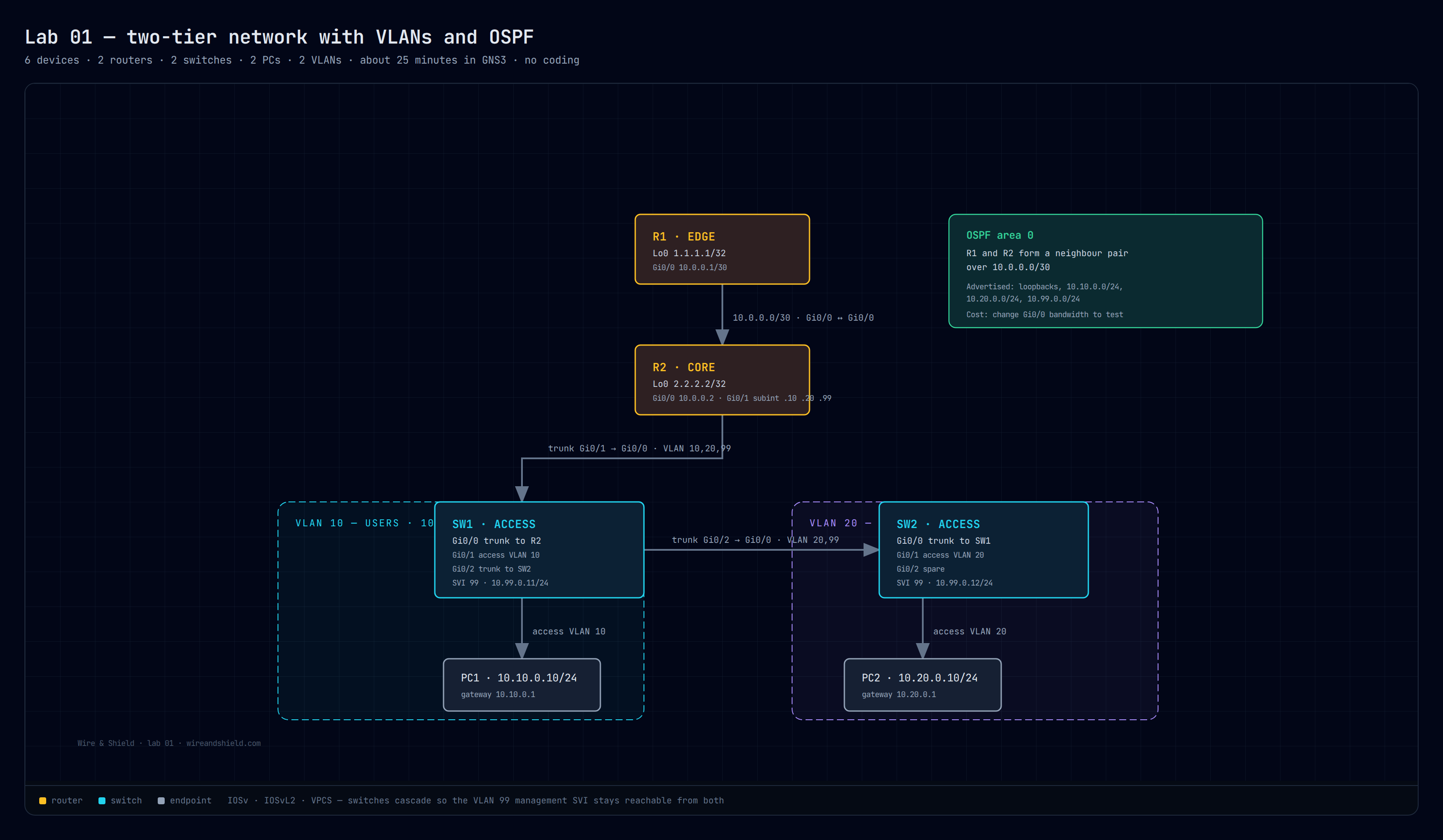
The build sheet
Diagram, addressing table, click-by-click GNS3 steps, every config, and what to check when it does not come up.
Download →The config files
R1, R2, SW1, SW2 as separate .cfg files. Paste into the console, or load them into your own devices.
Download →The diagram
High resolution, dark background, readable when projected or printed. Use it in your own notes.
Download →What you will actually learn
- Trunking that works. Which VLANs are allowed where, and why the management VLAN has to be carried across the switch-to-switch link.
- Inter-VLAN routing on sub-interfaces. Router-on-a-stick, the way it is still done on plenty of production networks.
- OSPF between two routers. Neighbours, advertised networks, and why passive interfaces keep the topology clean.
- Troubleshooting order. A symptom-to-cause table so you learn to look in the right place instead of guessing.
What you need
- GNS3 installed, with IOSv and IOSvL2 images you are licensed to use. If you do not have them, the same configs work on two real routers and two switches.
- About 4 GB of RAM free for the six devices.
- No Python. No automation framework. No coding at all.
Already comfortable with the CLI?
The script kit covers the next step: backing up every config, diffing what changed, and pushing a change to forty devices without doing it forty times. That is where automation starts earning its keep.
Then build it once, automated
The full course takes this exact topology and rebuilds it from a template — idempotent playbooks, safe rollouts with check mode, and drift detection that tells you when a device moved.
Get early access — $39